Extract Color Palette from Vehicle Design Concepts
Pull usable color palettes from AI mockups and customer proofs without burning hours on manual guesswork. Learn how to translate design concepts into production-ready color guidance for wrap shops.
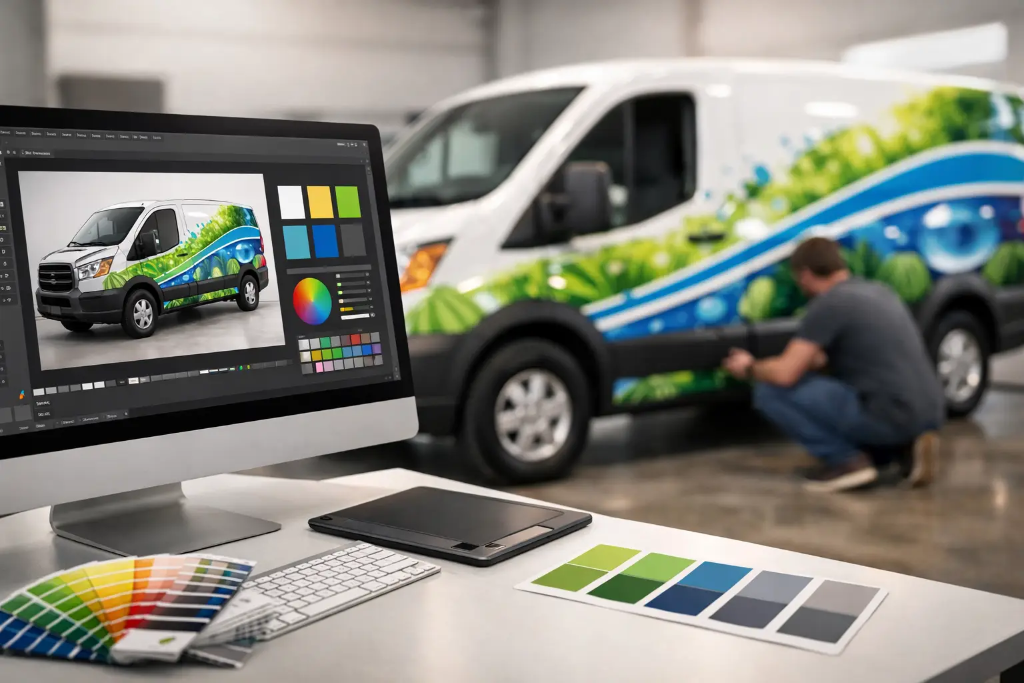
A customer walks in with a flashy AI mockup on their phone, and within two minutes you can already see the problem. The colors look great on a flat screen, but nobody has told you what those colors actually are, how they transition across body lines, or whether they make any sense for print production. If you need to extract color palette from vehicle design concepts without burning half a day on manual guesswork, this is exactly where Wrap Proof Extractor™ comes in. You can upload a proof right now at https://wrapextractor.app/ and get a rebuild brief that gives your shop a usable starting point instead of another abstract headache.
Why color extraction becomes a production problem fast
On paper, pulling colors from a design sounds easy. Sample a few swatches, match them loosely, and move on. In a wrap shop, that approach is where rework starts.
Vehicle graphics are not viewed as flat posters. A color that looks balanced in the center of an AI image may fall apart once it wraps over wheel arches, door seams, recessed panels, and compound curves. Gradients can shift. Dark accents can swallow logos. Bright highlights can print dirtier than expected depending on material, laminate, and installation context.
That is why color extraction is never just about finding pretty hues. It is about identifying what the customer is trying to communicate, then translating that into a production-minded color palette guidance set your designer and print team can actually use. If the original proof came from a generic image generator, that translation step matters even more because those tools are notorious for inventing reflections, impossible shadows, and color relationships that do not hold up in print.
How to extract color palette from vehicle design proofs the right way
The best process starts with intent, not eyedropper tools. Before you pull any palette, ask what the design is doing. Is it trying to feel aggressive, premium, clean, industrial, playful, or high-visibility for fleet graphics? A black-and-electric-blue concept for a sports coupe has a very different job than a white, green, and charcoal service van for a plumbing company.
Once intent is clear, the next step is separating dominant colors from decorative noise. AI proofs often contain fake lighting, reflections, chrome-like bloom, and invented detail that can trick a designer into counting nonessential color information as part of the actual wrap. In production terms, you need to know which tones are core brand colors, which are support colors, and which are just visual artifacts in the proof.
That is where a forensic read helps. Wrap Proof Extractor™ acts like an asset detective and interpretive workflow blueprint engine, not a magic design wand. It reads the supplied concept, pulls out color palette guidance, and organizes what appears to be intentional versus what is probably atmospheric filler. For a shop owner, that can mean the difference between a 10-minute validation step and an hour of arguing over whether a glow effect was ever meant to print.
What a usable vehicle wrap palette actually includes
When you extract color palette from vehicle design work for print production, you are usually looking for three levels of information.
First, you need the hero colors. These are the main tones carrying the visual identity - the deep red on the side panels, the matte-looking charcoal base, the bright lime accent stripe. If these are wrong, the entire concept feels off.
Second, you need supporting colors. These might show up in typography, secondary shapes, sponsor blocks, service lists, or subtle background textures. They matter, but they should not overpower the primary read of the vehicle from the street.
Third, you need caution colors. These are tones that appear in the proof but may need adjustment before production. Metallic-looking gradients, ultra-neon glows, low-contrast shadows, and reflective-looking overlays often land here. They might stay in spirit, but they usually need to be translated into something more predictable for vinyl tracking, ink behavior, and installer reality.
A strong rebuild brief should reflect those distinctions clearly. Otherwise, the design team is still doing interpretive labor, and that is where unbillable time creeps back in.
The biggest mistakes shops make when pulling colors manually
The first mistake is trusting the screen too much. Customers often bring compressed screenshots, social media exports, or photos of a monitor. That means the color you are sampling may already be shifted before you even start. If your whole palette is built from a bad source image, every downstream decision gets shakier.
The second mistake is overcommitting to exactness when the source is vague. There are times when the right move is not to force a perfect color match, but to identify a practical range. For example, if an AI concept suggests a copper-orange metallic effect, your production note may need to say that the final build should use a printable warm orange-brown family with controlled highlights instead of trying to fake a reflective finish across a full panel.
The third mistake is treating color extraction as separate from layout analysis. It is not. A color only works in context. A pale gray may seem fine until it sits behind service text on a cargo van door. A bright yellow accent may look energetic until it crosses a panel break and competes with required legal copy. Good shops already know this. The problem is that manual interpretation takes time, and not every proof deserves an hour of detective work before the customer has even approved a direction.
Extract color palette from vehicle design without losing billable time
This is the operational case for using a purpose-built workflow instead of starting from scratch every time. When a customer sends over a concept that was never built for real-world production, your team has two choices. You can spend skilled design labor reverse-engineering intent from a messy image, or you can run it through a process that produces a designer-ready rebuild brief for less than $8.
That price point matters because not every lead is a sure thing. Shops are tired of eating time on speculative proofs, especially when the customer is still deciding between three concepts or has no idea what can actually be installed cleanly. A sub-$8 extraction gives you a low-friction validation step. You can assess the proof, understand the palette direction, review font clues, and get production notes before your best designer starts rebuilding assets manually.
For small business owners, the value is just as practical. If your local installer says, "This screenshot looks cool, but I need something I can actually quote and build from," a rebuild brief gives you a professional handoff document instead of another round of vague back-and-forth.
Where color extraction fits in the real shop workflow
In most wrap shops, color palette interpretation happens too late. The team starts mocking up panels, placing logos, and cleaning up typography before anyone has locked down whether the visual direction is even viable. That is backwards.
A better sequence is simple. Get the customer proof, run forensic analysis, review the color palette guidance and production notes, then decide whether the concept is ready for rebuild, needs simplification, or should be repositioned before estimate approval. That sequence protects design hours and helps sales communicate more clearly.
It also reduces internal friction. Designers are not left guessing. Sales is not overpromising. Production is not surprised by impossible effects halfway through file prep. Even if the final palette changes slightly, the team is working from shared evidence instead of gut feelings.
It depends on the vehicle, the proof, and the job type
Not every color extraction workflow should be handled the same way. A one-off food truck wrap may tolerate more expressive gradients and layered color transitions because the customer is chasing visual impact. A 40-van fleet package usually needs tighter repeatability, stronger legibility, and more disciplined color use across multiple units.
Vehicle shape matters too. A palette that works on a box truck may collapse on a sprinter with deep panel breaks. A design with subtle tonal changes may read well on a rendering but disappear on a white cargo van in direct sun. This is why any useful extraction process needs to support judgment, not replace it.
That is the real advantage of Wrap Proof Extractor™. It helps you interpret the customer proof into a working blueprint faster, while still leaving room for shop expertise. You are not surrendering the design decision. You are removing the worst part of the ambiguity.
Good shops do not need more flashy tools. They need fewer dead-end hours, cleaner approvals, and a faster path from concept to production. If a customer hands you an impossible mockup tomorrow, you do not need to squint at gradients and guess what blue they meant.
Stop wasting unbillable design hours guessing at impossible AI mockups. Run your customer's concept through a Wrap Proof Extractor™ today. For less than $8, upload the proof to https://wrapextractor.app/ and get a complete font, color, and production Rebuild Brief in seconds. No subscriptions. Pay only when you need it!
Turn an AI wrap proof into a rebuild brief.
Upload a customer mockup and get font, color, graphic, and production notes for your shop.